Dodge Charger: VEHICLE LOADING / Gross Vehicle Weight Rating (GVWR), Gross Axle Weight Rating (GAWR)
Gross Vehicle Weight Rating (GVWR)
The GVWR is the total allowable weight of your vehicle. This includes driver, passengers, and cargo. The total load must be limited so that you do not exceed the GVWR.
Gross Axle Weight Rating (GAWR)
The GAWR is the maximum capacity of the front and rear axles. Distribute the load over the front and rear axles evenly. Make sure that you do not exceed either front or rear GAWR.
https://ecufix.infoWARNING!
Because the front wheels steer the vehicle, it is important that you do not exceed the maximum front or rear GAWR. A dangerous driving condition can result if either rating is exceeded. You could lose control of the vehicle and have a collision.
 Vehicle Certification Label
Your vehicle has a Vehicle Certification Label affixed to the drivers side B-pillar
or the rear of the driver’s door.
The label contains the following information:
Name of manufacturer
Month and year of manufacture
Gross Vehicle Weight Rating (GVWR)
Gross Axle Weight Rating (GAWR) front
Gross Axle Weight Rating (GAWR) rear
Vehicle Identification Number (VIN)
Type of vehicle
Month, Day, and Hour of manufacture (MDH)
The bar code allows a computer scanner to read the VIN...
 Overloading
The load carrying components (axle, springs, tires, wheels, etc.) of your vehicle
will provide satisfactory service as long as you do not exceed the GVWR and the
front and rear GAWR...
Other information:
Dodge Charger 2011-2026 Owner's Manual: Preparations For Jump Start
The battery is stored under an access cover in the trunk. Remote battery posts are located on the right side of the engine compartment for jump starting. Remote Positive (+) Post Remote Negative (-) Post NOTE: The remote battery posts are viewed by standing on the right side of the vehicle looking over the fender...
Dodge Charger 2011-2026 Owner's Manual: Power Adjustment (Front Seats) — If Equipped
Some models may be equipped with eight-way power driver and front passenger seats. The power seat switches are located on the outboard side of the seat. There are two switches that control the movement of the seat cushion and the seatback. Seatback Control Seat Control Adjusting The Seat Forward Or Rearward The seat can be adjusted both forward and rearward by using the power seat switch...
Categories
- Manuals Home
- Dodge Charger Owners Manual
- Dodge Charger Service Manual
- Opening And Closing The Trunk
- SERVICING AND MAINTENANCE
- USB/AUX Control
- New on site
- Most important about car
WINDSHIELD WIPERS AND WASHERS
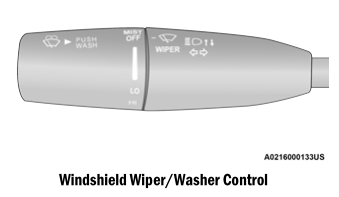
The windshield wiper/washer controls are located on the multifunction lever on the left side of the steering column. The front wipers are operated by rotating a switch, located on the end of the lever.