
Dodge Charger: SERVICING AND MAINTENANCE / TIRES
- Tire Safety Information
- Tire Loading And Tire Pressure
- Steps For Determining Correct Load Limit—
- Tires — General Information
- Tire Types
- Spare Tires — If Equipped
- Wheel And Wheel Trim Care
- Snow Traction Devices
- Tire Rotation Recommendations
 Bulb Replacement
Replacement Bulbs
All of the interior bulbs are glass wedge base or glass cartridge types. Aluminum
base bulbs are not approved and should not be used for replacement...
 Tire Safety Information
Tire safety information will cover aspects of the following information: Tire
Markings, Tire Identification Numbers, Tire Terminology and Definitions, Tire Pressures,
and Tire Loading...
Other information:
Dodge Charger 2011-2026 Owner's Manual: PARKSENSE REAR PARK ASSIST — IF EQUIPPED
The ParkSense Rear Park Assist system provides visual and audible indications of the distance between the rear fascia/bumper and a detected obstacle when backing up (e.g. during a parking maneuver). ParkSense will retain the system state (enabled or disabled) from the previous ignition cycle when the ignition is changed to the ON/RUN position...
Dodge Charger 2011-2026 Owner's Manual: Wind Buffeting
Wind buffeting can be described as the perception of pressure on the ears or a helicopter-type sound in the ears. Your vehicle may exhibit wind buffeting with the windows down, or the sunroof (if equipped) in certain open or partially open positions...
Categories
- Manuals Home
- Dodge Charger Owners Manual
- Dodge Charger Service Manual
- How To Use Remote Start
- Headlight Switch
- Opening And Closing The Trunk
- New on site
- Most important about car
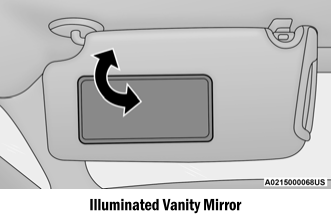
Illuminated Vanity Mirrors
To access an illuminated vanity mirror, flip down one of the visors and lift the cover.
Sun Visor “Slide-On-Rod” Feature — If Equipped
The sun visor “Slide-On-Rod” feature allows for additional flexibility in positioning the sun visor to block out the sun.
Fold down the sun visor. Unclip the visor from the corner clip. Pivot the sun visor toward the side window. Extend the sun visor for additional sun blockage.
Copyright © 2026 www.docharger.org